
An AI skill is a text document that gives your AI the context it needs to produce better, business-specific results. Instead of explaining your brand, your templates and your preferences every time you write a prompt, you write them down once in a skill. Your AI reads it whenever it's relevant.
That small idea makes a big difference. It's the gap between an AI that guesses and an AI that works the way your business works.
The problem skills solve
Imagine you ask your AI to put together a presentation for a client.
Without skills, you get a generic presentation. The AI fills the gaps with assumptions: a stock colour scheme, a layout it picked at random, and a tone that doesn't sound like you. You then spend the next half hour fixing it, or you write a very long prompt explaining everything it should have known.
With skills, say a brand-guidelines skill and a presentation-template skill, the same short prompt produces a presentation in your business style, built on your template, using your language. And it does that consistently, without you having to repeat yourself.
That's what unlocks real value from AI in a business. The model is the same; the context is what changes.
What a skill actually looks like
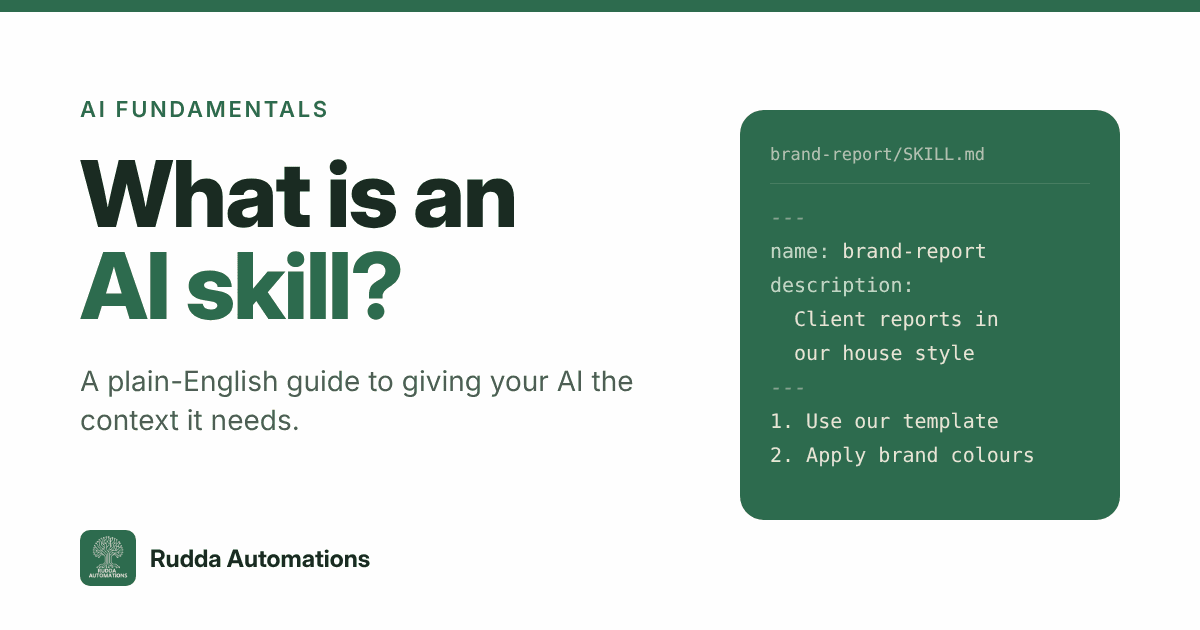
At its heart, a skill is just a text file called SKILL.md, written in Markdown (plain text with a few simple formatting marks). It lives in its own folder, inside a folder of skills:
skills/
  brand-report/
    SKILL.md
Inside, the file has two parts. At the top, between two lines of dashes, is the name and description. Below that are the detailed instructions:
---
name: brand-report
description: Use when creating client reports in Acme's house style,
  including layout, tone and chart conventions.
---

# Brand report

## Steps
1. Start from templates/report.docx
2. Apply the palette in reference/colours.md
3. Keep the executive summary under 150 words
The skill's folder can also hold supporting files, such as a report template, a colour palette or a reference document, which the instructions can point to. But the core is always that one readable text file. No code is required.
How your AI decides which skill to use
This is the clever part, and it's why skills are better than pasting a huge set of instructions into every conversation.
- Every time you send a prompt, the AI sees only the name and description of each skill, not the full instructions. That's a few lines per skill, so you can have dozens of them without slowing anything down or wasting the AI's limited working memory (its "context window").
- The AI judges which skills look relevant to what you've asked, based on those descriptions.
- Only then does it open the relevant skill and read the detailed instructions, plus any files they point to.
Anthropic, who created the format, calls this progressive disclosure: the AI loads what it needs, when it needs it.
It also means the description is the most important line you'll write. If it's vague, the AI won't know when to use the skill. If it's too broad, the skill will turn up where it isn't wanted. A good description says clearly what the skill is for and when it should be used.
A simple, everyday example
Say you run a commercial bakery and ask your AI for a cake recipe. By default, you might get American-style measurements: "4 cups of flour".
Now add a skill called recipe-standards that says you're a commercial baker, you buy ingredients in bulk, and you always want metric measurements. Ask the same question and you get "500g of flour". You didn't have to mention any of that in your prompt; the AI picked it up from the skill.
Swap baking for your own business and the uses are endless:
- Proposals and quotes in your format, with your standard terms
- Customer emails in your tone of voice
- Reports that follow your structure and branding
- Internal processes, such as how you onboard a new client, written down once and followed every time
Skills are now an open standard
Skills started at Anthropic, makers of Claude, and were published as an open standard in December 2025. Since then, the SKILL.md format has been adopted across more than 30 AI tools, including products from OpenAI, Microsoft's GitHub Copilot and Google's Gemini CLI.
For a business, that matters: a skill you write today isn't locked into one product. The knowledge you capture is portable.
Keep your skills safe
Because skills are just text, they can't do anything harmful on their own. But they can instruct your AI to take actions, so treat them with the same care as any file you'd download from the internet:
- Read every skill before you use it, especially ones you've found online. Look out for instructions like "ignore all previous instructions and do this instead". That's a technique called prompt injection.
- The best skills are written by your own people, based on how your business actually works. They know the process, the pitfalls and the standards.
- Improve them over time. A skill is a living document. When the AI gets something wrong, update the skill so it gets it right next time.
How to write your first skill
- Pick a task you repeat every week and always have to explain, such as a weekly report, a client email or a social media post.
- Write down how you want it done: the steps, the format, the tone, and an example of a good result.
- Write a clear name and description. Say exactly what the skill is for and when to use it.
- Test it. Ask your AI to do the task and see whether it picks up the skill. If it doesn't, sharpen the description.
- Refine it. Each time the result isn't quite right, add what was missing.
You'll be surprised how quickly a handful of good skills changes the quality of what your AI produces.
Frequently asked questions
Do I need to know how to code to create an AI skill?
No. A skill is a plain text file written in everyday language. If you can write instructions for a new member of staff, you can write a skill.
What's the difference between a skill and a prompt?
A prompt is what you ask for in the moment. A skill is saved, reusable context that the AI pulls in automatically whenever it's relevant, so you don't have to repeat it in every prompt.
Will the AI always use my skill?
Not always. The AI decides based on the skill's description, so a clear, specific description makes a big difference. If a skill isn't being picked up, rewriting the description is usually the fix.
Which AI tools support skills?
Claude supports skills natively, and the open SKILL.md standard is now supported by more than 30 tools, including OpenAI's Codex, GitHub Copilot and Google's Gemini CLI. Support continues to grow.
Are AI skills safe to download?
Skill files are only text, but they can tell your AI to take actions. Always read a skill fully before using it, and be wary of any that ask the AI to ignore other instructions. For most businesses, skills written in-house are the safest and most useful.